




Webex Contact Center Integration Services

Enterprise contact centers generate value at the intersection of systems where customer interaction data flows cleanly into CRM records, where agent desktops surface the right information at the right moment, and where every interaction event triggers the downstream workflows that keep operations running. When those integrations are poorly configured, the entire contact center ecosystem operates below its designed potential.

Webex contact center integration is the engineering discipline that connects the Webex platform to the broader enterprise technology stack. It is not a post deployment task. It is a foundational layer that determines whether the environment delivers unified customer data, automated workflows, and real-time operational visibility or operates as an isolated platform with manual data transfer gaps.

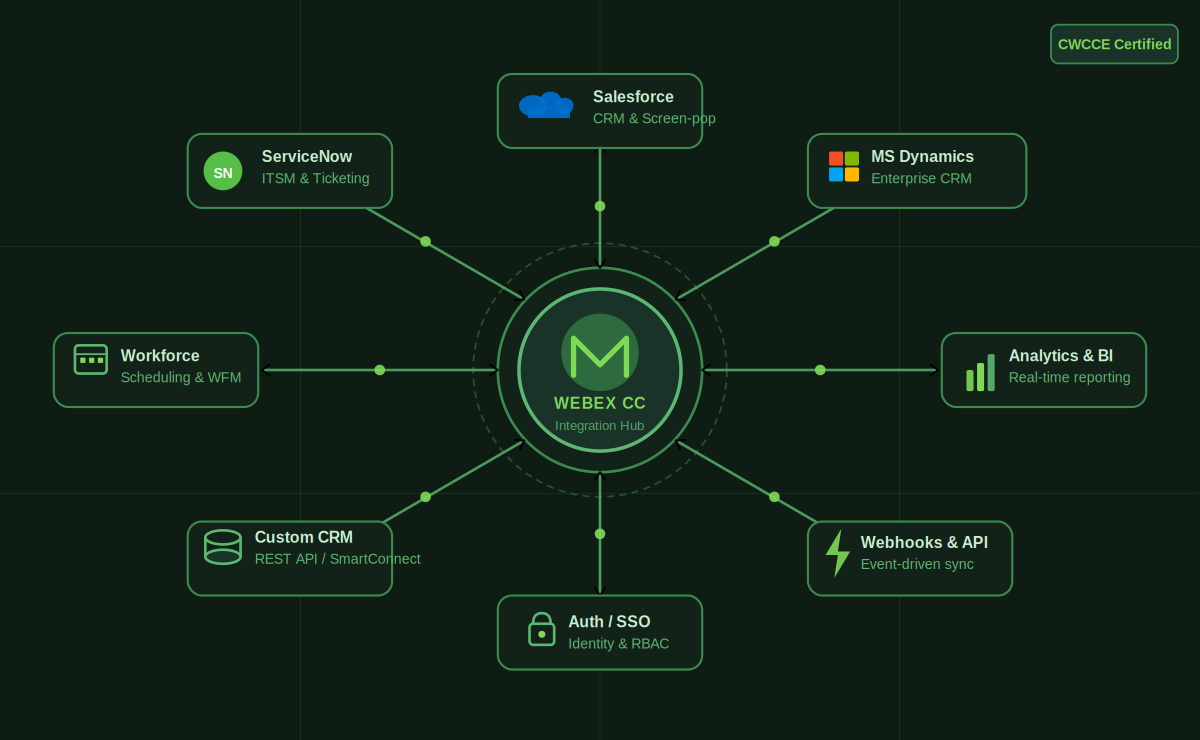
Maaz Technologies delivers enterprise Webex contact center integration services through CWCCE-certified engineers who understand both the Webex platform architecture and the integration patterns required to connect it reliably to Salesforce, ServiceNow, custom CRM environments, and the wider enterprise application ecosystem.
Schedule an Integration Consultation

Webex Contact Center Integration Services

Seamless Webex Contact Center Integration with Enterprise Systems

Enterprise technology environments are not blank slates. They carry years of accumulated tooling CRM platforms, ticketing systems, workforce management applications, analytics environments, and internal data stores all of which need to exchange data with the contact center in real time.

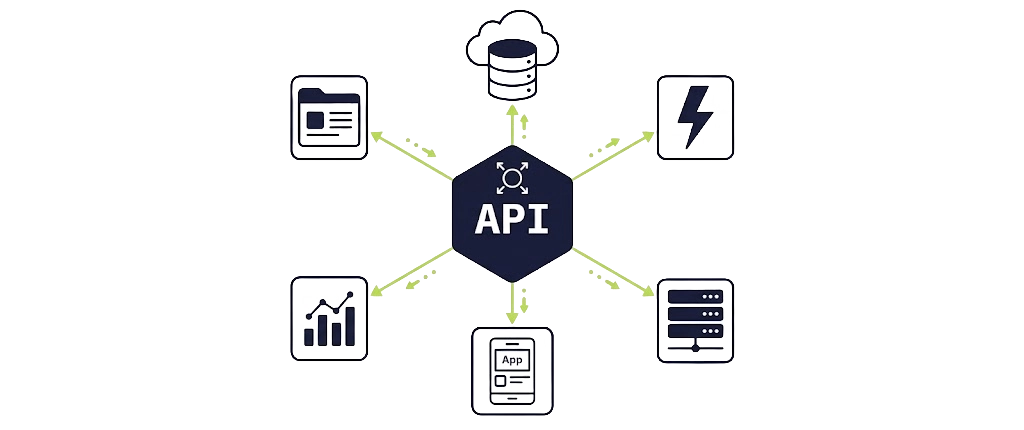
Webex contact center integration addresses this complexity through a combination of native connectors, REST API configuration, webhook event subscriptions, and middleware based integration patterns. The goal is not simply connectivity it is reliable, validated, bidirectional data flow that operates correctly under production load and degrades gracefully when upstream systems experience latency or downtime.

    Third-party integration scope in enterprise environments typically spans:

  • CRM platforms:

    real-time screen pop, interaction logging, case creation, and contact record synchronization
  • Ticketing and ITSM systems:

    automated ticket creation on inbound contact, status synchronization, and escalation triggers
  • Workforce management tools:

    schedule adherence data feeds, agent state synchronization, and real time occupancy reporting
  • Analytics and BI platforms:

    interaction data export, queue performance feeds, and custom reporting dataset construction
  • Authentication systems:

    SSO integration, identity provider configuration, and role-based access control alignment
  • Custom enterprise applications:

    REST API and webhook based integration for proprietary internal tooling

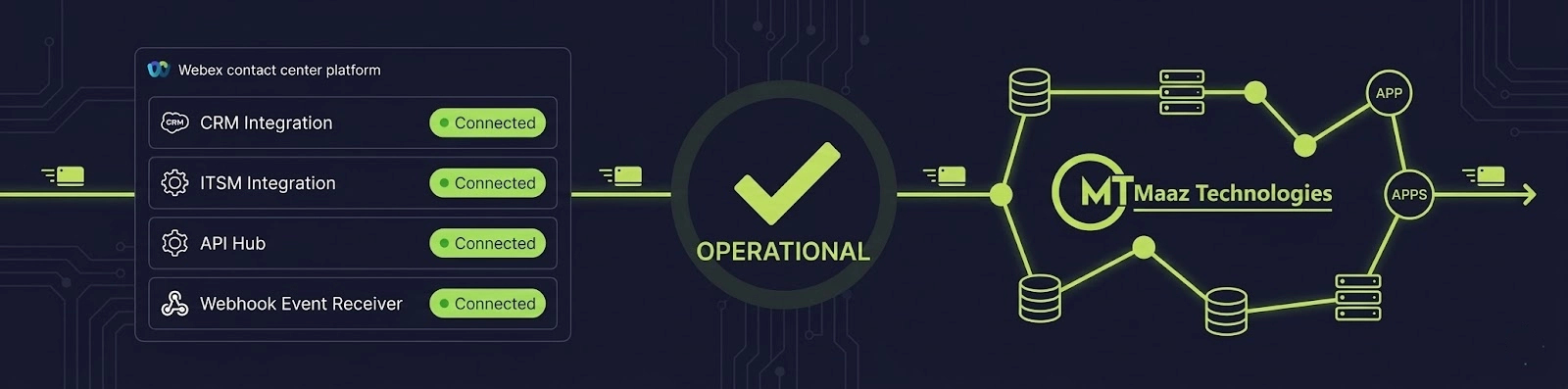
Each integration point is scoped, architected, and validated individually then validated again as part of the full integration stack before production deployment.

Webex CRM Integration Salesforce, ServiceNow, and Beyond

CRM integration is the highest value integration category in enterprise Webex Contact Center deployments. The quality of CRM connectivity directly determines the quality of the agent experience and by extension, the quality of every customer interaction.

Webex Salesforce Integration
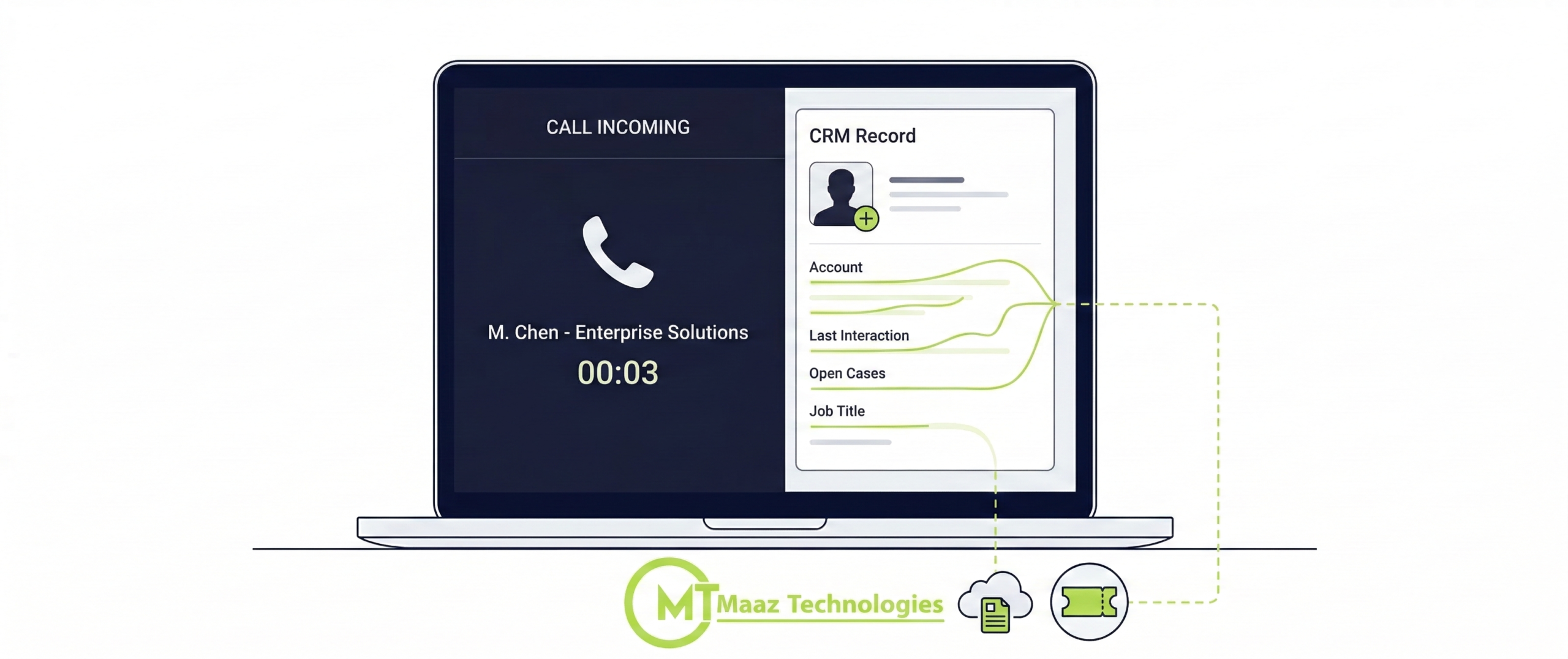
Webex Salesforce integration connects the contact center interaction layer to the organization's core customer data environment. When configured correctly, agents receive a screen pop displaying the customer's Salesforce record the moment an inbound call or digital contact arrives before the interaction is even answered.
Beyond screen pop, Webex Salesforce integration supports automated activity logging (calls and digital interactions recorded as Salesforce activity records without manual agent input), case creation triggered by interaction type or IVR disposition, contact record updates based on interaction outcomes, and omnichannel CRM sync that maintains interaction history continuity across voice, chat, and email channels.
Configuration requires careful mapping between Webex Contact Center interaction event data and Salesforce object schemas. Field mapping errors at this layer produce incomplete activity logs, duplicate records, and screen pop failures all of which degrade agent productivity and interaction data quality at scale.
Webex ServiceNow Integration
Webex ServiceNow integration serves technology organizations and enterprise ITSM environments where inbound contacts need to be associated with incident records, service requests, or change management workflows from the point of first contact.
Integration capabilities include automatic incident creation on inbound contact based on IVR disposition or caller identification, existing incident lookup and screen pop for recognized callers, incident state updates triggered by interaction disposition, and bidirectional ticket synchronization that keeps ServiceNow records current with contact center interaction data.
Maaz Technologies configures Webex ServiceNow integration against the organization's actual ITSM workflow model not against a generic template. Incident categorization logic, priority assignment rules, and assignment group routing are all mapped during integration design to reflect how the ITSM environment actually operates.
Other CRM and Enterprise Application Integration
Beyond Salesforce and ServiceNow, enterprise organizations operate diverse CRM and application landscapes. Maaz Technologies delivers Webex contact center integration across Microsoft Dynamics, HubSpot, Zendesk, and custom built CRM environments using REST API configuration, webhook event architecture, and middleware connectors appropriate to the specific platform's integration capabilities.

SmartConnect & API Based Integrations

For enterprise environments where native CRM connectors do not cover the full integration requirement, Webex Contact Center's API layer and SmartConnect framework provide the foundation for custom integration architecture.

SmartConnect Integration
SmartConnect is Webex Contact Center's embedded integration framework, designed to enable screen pop and data exchange with enterprise applications without requiring custom middleware development. SmartConnect integration supports HTTP based data retrieval from external systems at the point of inbound contact surfacing customer data from any application that exposes an HTTP endpoint, including legacy systems that predate modern REST API standards.
SmartConnect configuration involves defining HTTP request templates, mapping response data to agent desktop fields, handling authentication against the target system, and managing error states when the external system is unavailable or returns unexpected responses.
Webex API Integration
The Webex Contact Center REST API provides comprehensive programmatic access to platform functionality including contact management, agent state control, queue statistics, interaction event streams, and configuration management endpoints. Webex API integration enables enterprise organizations to build custom operational tooling, automate configuration management, extract real time analytics data, and connect Webex Contact Center to enterprise data platforms that do not have pre built connectors.
API integration engagements with Maaz Technologies cover endpoint selection and authentication architecture, request and response schema mapping, rate limit management, error handling design, and integration testing against production representative data volumes.
Webhooks and Event Driven Integration
Webhooks provide real time event notification from Webex Contact Center to external systems eliminating the polling overhead that REST API pull based integrations carry for high frequency event streams. Webex webhook integration delivers interaction lifecycle events (contact arrived, agent assigned, interaction ended, disposition recorded) to subscriber endpoints in real time.
Webhook integration architecture requires careful design of the receiving endpoint the external system must handle event delivery at contact center volumes, manage out of order event delivery, and implement idempotent processing to prevent duplicate record creation when events are redelivered after transient failures.
Maaz Technologies designs webhook integration architecture that is robust under production load conditions, not just under test traffic volumes.

Real-Time Data Synchronization & Automation Workflows

Integration is not only about data moving from Webex Contact Center to external systems. The highest-value integration patterns involve real-time data synchronization that keeps all connected systems current with the current state of every interaction and automation workflows that eliminate manual steps from agent and supervisor processes.

Data Synchronization Architecture

Real-time data synchronization between Webex Contact Center and connected enterprise systems requires event-driven architecture, reliable message delivery, and conflict resolution logic for scenarios where multiple systems attempt to update the same record simultaneously.

Maaz Technologies designs data synchronization patterns appropriate to the organization's integration landscape push based synchronization through webhooks for latency-sensitive data flows, pull-based synchronization through scheduled API extraction for reporting and analytics datasets, and bidirectional synchronization for CRM environments where both contact center events and CRM record updates need to be reflected across the system boundary.

Automation Workflows

Automation workflows triggered by Webex Contact Center interaction events eliminate manual process steps that generate errors, slow agent handling, and create data quality issues downstream. Common automation workflow patterns include:

  • Automatic case creation: in CRM or ticketing systems on inbound contact based on IVR disposition or customer segment
  • Ticket synchronization: updating ITSM ticket status based on interaction disposition without agent manual input
  • Call data mapping: to CRM activity records immediately upon interaction completion
  • Escalation triggers: creating supervisor alerts or escalation workflows when interaction duration, sentiment indicators, or queue wait thresholds breach defined parameters
  • Post interaction survey dispatch: triggering customer satisfaction survey delivery immediately upon interaction completion

Each automation workflow is designed to execute reliably under production conditions, with error handling that prevents data loss when downstream systems are temporarily unavailable.

Integration Architecture & Security

Enterprise integration architecture carries security and governance requirements that must be addressed during integration design not discovered after production deployment.

Secure Integration Design
All Webex contact center integration configurations implement token based authentication for API connectivity, with credential rotation policies appropriate to the organization's security governance framework. Webhook endpoint security includes signature validation to prevent unauthorized event injection. Data in transit across integration boundaries is encrypted using TLS with version and cipher suite configurations aligned to enterprise security standards.
Role based access control governs which integrated systems can access which Webex Contact Center API endpoints preventing overprivileged integration credentials that expand the attack surface unnecessarily.
Middleware and Integration Resilience
Enterprise integration environments introduce middleware dependencies message queues, API gateways, and integration platforms that sit between Webex Contact Center and target systems. Maaz Technologies designs integration architecture that accounts for middleware failure modes, implementing retry logic, dead letter queue handling, and fallback behaviors that prevent integration failures from propagating into contact center operational disruptions.
Integration resilience design is particularly important for CRM screen pop integrations an unavailable CRM API endpoint should degrade gracefully to a no data state, not prevent the agent from answering the interaction.

Ready to Connect Webex Contact Center to Your Enterprise Stack?

Integration quality determines whether the Webex Contact Center investment delivers its designed operational value. Poorly executed integrations create data silos, manual process overhead, and agent experience friction that erode platform ROI from the first day of production operation.

Talk to a Webex Integration Expert
FAQs

SmartConnect is Webex Contact Center’s embedded HTTP based data retrieval framework, enabling screen pop and data exchange with any enterprise application that exposes an HTTP endpoint. It allows organizations to surface customer data from custom applications and legacy systems that do not have pre built Webex connectors.

Webhooks deliver real time event notifications from Webex Contact Center to external subscriber endpoints when interaction lifecycle events occur contact arrival, agent assignment, interaction completion, disposition recording. They enable automation workflows and real time data synchronization without the overhead of continuous API polling.

Integration security encompasses token based API authentication, webhook signature validation, TLS encryption for all data in transit, role based API access control, and credential rotation policies aligned to enterprise security governance. All security controls are applied during integration design, not as post-deployment additions.

Yes. Organizations with proprietary CRM environments can integrate with Webex Contact Center through the REST API and SmartConnect frameworks, using HTTP based data retrieval and webhook event delivery to achieve the same screen-pop, activity logging, and bidirectional synchronization capabilities available through native CRM connectors.

Integration timelines depend on the number of systems being connected, the complexity of the data mapping requirements, and the availability of sandbox environments for testing. Single-system CRM integrations in standard environments typically complete within two to three weeks. Multi-system integration programs with custom data synchronization requirements follow structured phased delivery plans.

Leave us message

How May We Help You!